Smart Door Lock Buying Guide
Best Smart Door Locks for Modern Indian Homes
The best smart lock is not simply the one with the most features. It is the one that fits your actual door, gives your family sensible backup access, can be installed correctly, and matches how you want to manage the entrance every day.
Reviewed 29 August 2026 · Buying guide for Indian homes
Quick answer
For most family main doors, prioritise door compatibility, multiple access methods such as fingerprint plus PIN, a dependable emergency backup method, low-battery warning, professional installation and accessible after-sales support. Add Wi-Fi or app control only if remote access and entry history are genuinely useful to you.
Smart lock types at a glance
| Type | Best for | Useful access | Watch for |
|---|---|---|---|
| Fingerprint + PIN | Everyday family entry | Fast personal access + shared code | Sensor quality and backup access |
| Fingerprint + PIN + RFID | Families with several users | Biometric, code and card/fob | User management and lost RFID cards |
| Connected Wi-Fi/app lock | Remote access and monitoring | App, temporary codes, logs | App support, connectivity and account security |
| Offline digital lock | Simple keyless entry | PIN, fingerprint or RFID | No remote controls or cloud features |
1. Check your door before you compare features
A smart lock can look perfect online and still be wrong for your entrance. Door thickness, door material, opening direction, stile width, existing lock cut-outs, mortise dimensions and frame alignment can affect whether a model can be installed properly.
Current Godrej models, for example, publish specific door-thickness and door-type requirements, while Dorset advises buyers to measure the existing door before purchase. Treat compatibility as the first filter, not the final installation problem.
2. Choose access methods for the people who actually use the door
Fingerprint access is convenient because family members do not need to carry keys or remember a code. PIN access is useful as another route, while RFID cards or fobs may suit children, older relatives, household staff or other regular users who prefer a physical token.
A mechanical override or another documented emergency method gives you a fallback when electronics or batteries become a problem. The exact combination varies by lock, so compare the backup path as carefully as the headline feature list.
3. Decide whether you really need Wi-Fi
Choose connected access when…
- • You want to manage access while away from home.
- • Temporary guest or service access would be useful.
- • Entry history or app alerts matter to you.
- • You are comfortable maintaining another connected device.
Choose a simpler offline lock when…
- • Fingerprint/PIN access at the door is enough.
- • You do not need remote unlocking.
- • You prefer fewer apps and connected dependencies.
- • Simplicity is more valuable than remote features.
4. Battery backup is part of the security plan
Smart locks normally run from their own batteries rather than your home's mains supply. What matters is how clearly the lock warns you before batteries are exhausted and what you can do from outside if they are already flat.
Current products in the Indian market use different emergency arrangements, including USB/Type-C power, 9V emergency supply and mechanical overrides. Do not assume every model has all three. Confirm the exact emergency procedure and keep the required backup key or power source accessible outside the locked home.
5. Main-door exposure matters
An apartment entrance inside a protected corridor is a different environment from a villa or independent-house door exposed to dust, humidity or wind-driven rain. If the lock will face outdoor exposure, check the manufacturer's suitability and any stated IP rating rather than assuming an electronic lock is weatherproof.
Covered entrances can reduce direct exposure, but installation conditions still matter. Follow the lock maker's specification and installer advice for the exact door location.
Best smart-lock feature set by household
Family home
Fingerprint + PIN + emergency backup is a sensible baseline. RFID can help when several people need their own simple access method.
Apartment
Prioritise compatibility with the existing wooden door and mortise, professional installation and reliable day-to-day access before paying for remote features.
Independent house or villa
Check environmental exposure carefully. A sheltered entrance, suitable hardware specification and local service support matter alongside smart features.
Frequent guests or service access
A connected lock with temporary PINs, app management or access history can be more useful than simply adding more biometric capacity.
Shop smart locks
Browse smart door locks on Amazon India
Use the checklist above first, then compare current listings. Verify the exact door compatibility, access modes, emergency backup, installation requirements, warranty and seller details before buying.
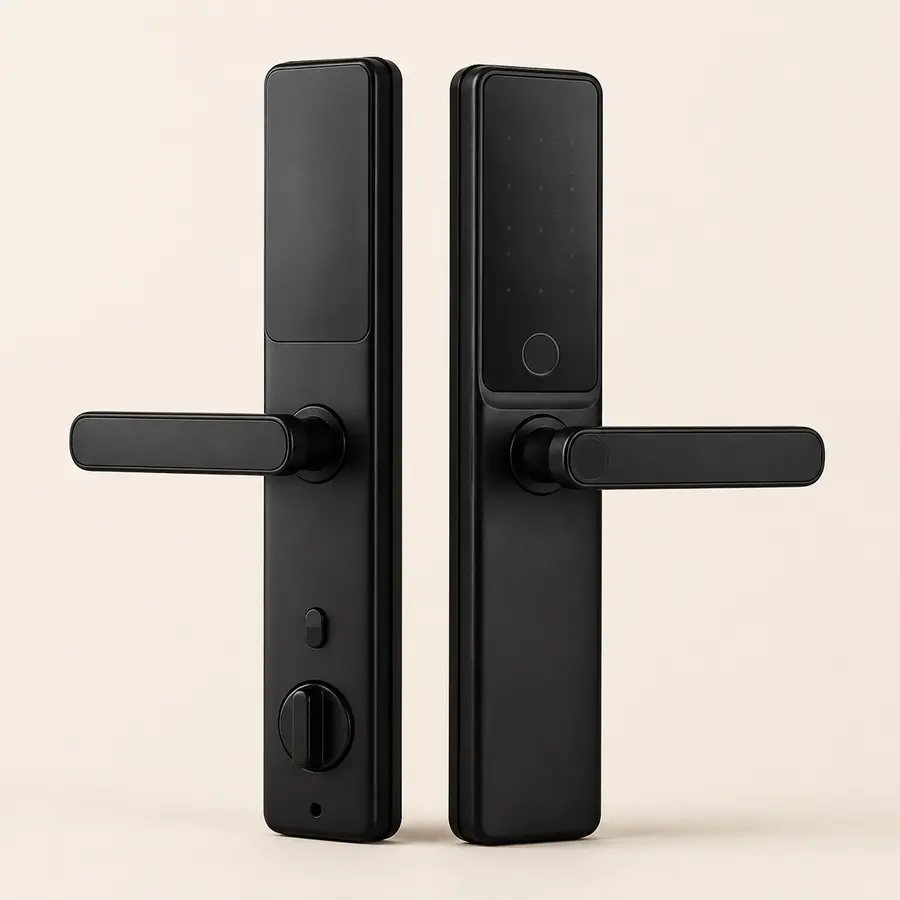
Affiliate disclosure: HouseFolio may earn from qualifying Amazon India purchases at no additional cost to you. The image below represents the category; confirm the exact product listing before purchase.
Smart door lock buying checklist
FAQs
Smart door lock questions
What should I check before buying a smart door lock in India?
Check your door material, thickness, opening direction, existing lock or mortise, installation requirements, access methods, battery backup, emergency power options, warranty and after-sales support before ordering.
Is fingerprint access enough for a main-door smart lock?
Fingerprint access is convenient, but a main-door lock is easier to live with when it also has backup access such as a PIN, RFID card, mechanical key or another emergency method supported by the manufacturer.
What happens if a smart door lock battery dies?
Many current digital locks provide low-battery warnings plus an external emergency power option, and some also include a mechanical override key. Check the exact model before buying because backup methods vary.
Do I need Wi-Fi in a smart door lock?
No. Wi-Fi is useful if you want remote access, app alerts, temporary codes or entry history away from home. If you only want fingerprint, PIN or RFID access at the door, an offline digital lock may be simpler.
Can every smart lock fit every Indian main door?
No. Door thickness, material, stile width, existing cut-outs, mortise dimensions, opening direction and frame alignment can all affect compatibility. Confirm the manufacturer's installation requirements before purchase.
HouseFolio note
Security starts with correct installation
HouseFolio provides design and buying guidance, not locksmith, electrical or security certification. A smart lock should be checked for compatibility and installed according to the manufacturer's instructions. For security-critical decisions, use the manufacturer or a qualified installer.
Sources and further reading
This guide uses current manufacturer guidance to frame compatibility, access, backup and installation considerations. Product features can change, so verify the exact listing before purchase.